Pencil
Pick a picture, press Draw, and watch a pencil sketch onto it — stroke by stroke, in front of you.
- Free
- No Log In
- In Your Browser
- Private
What is Pencil?
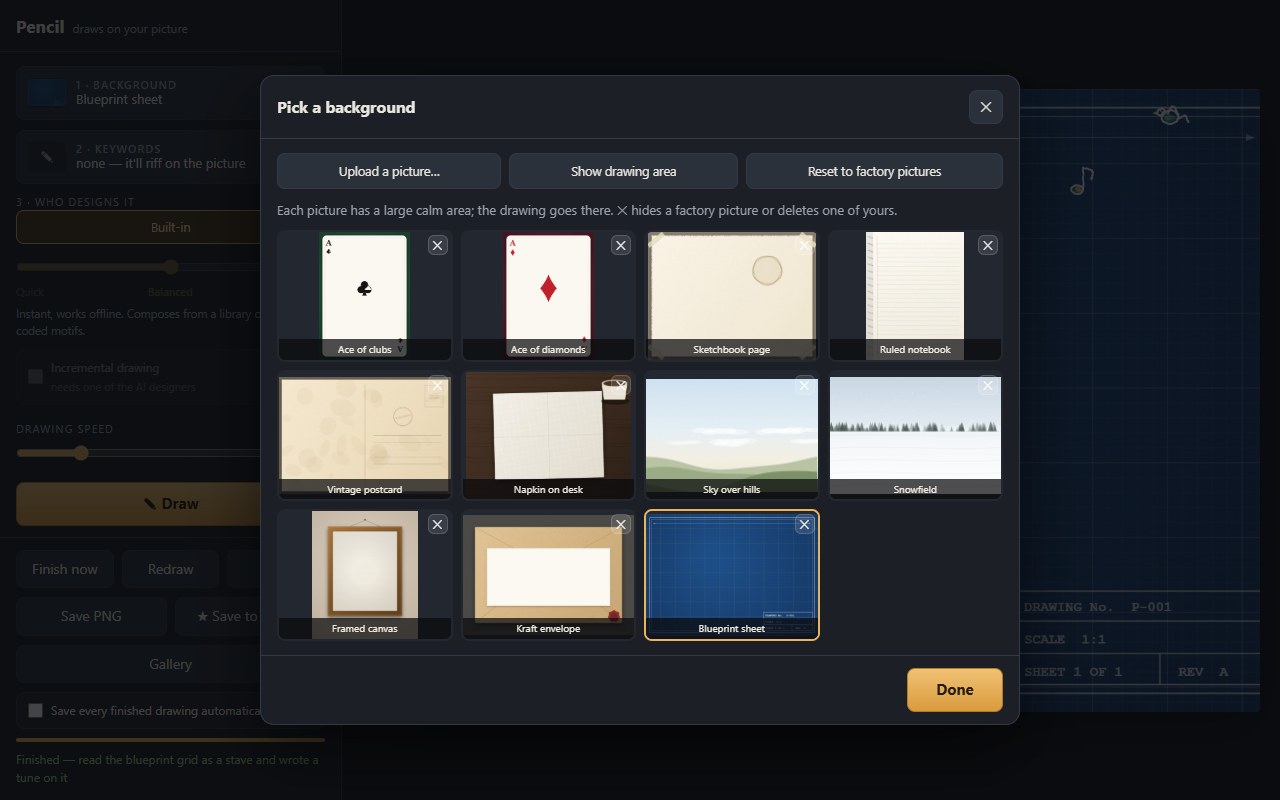
Pencil is a small drawing toy. You choose one of eleven pictures — a playing card, a ruled notebook page, a vintage postcard, a blueprint sheet — press Draw, and a pencil moves across it and sketches something, one visible stroke at a time. Nothing appears all at once; you watch it get made.
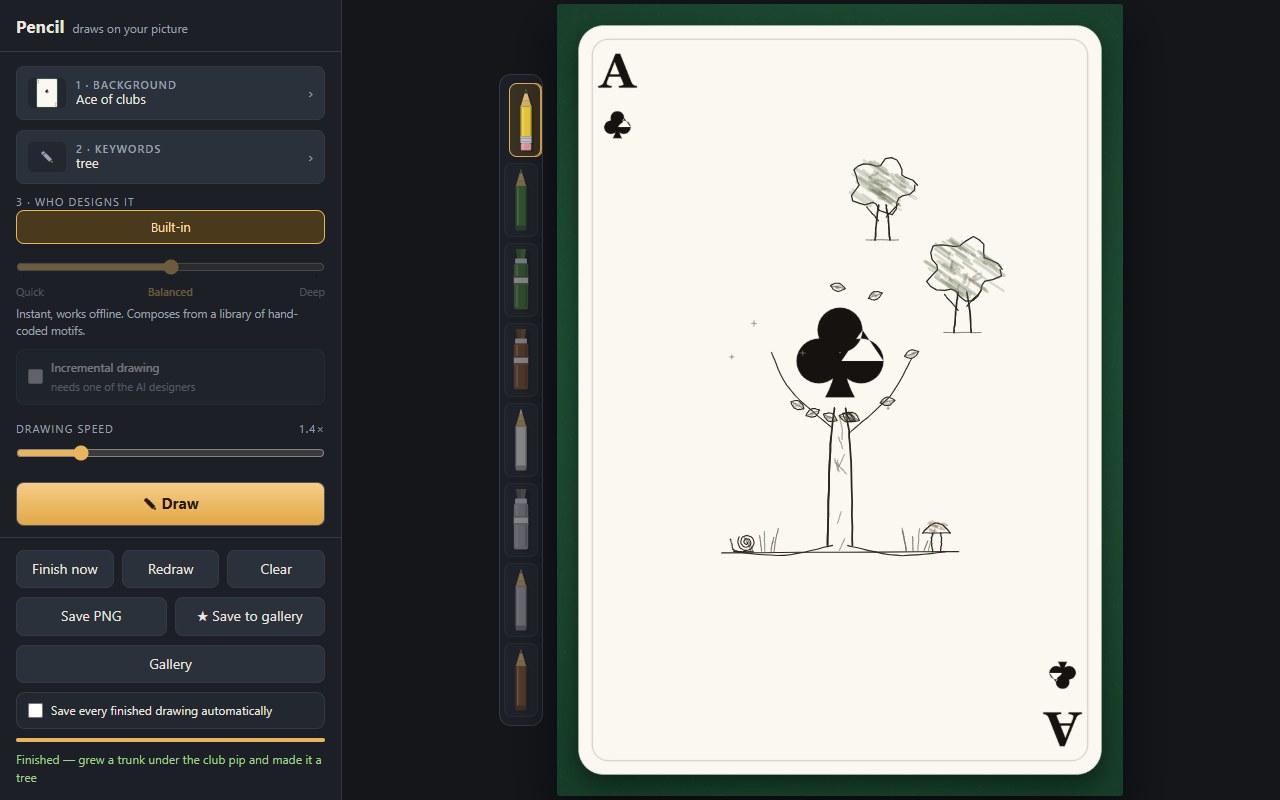
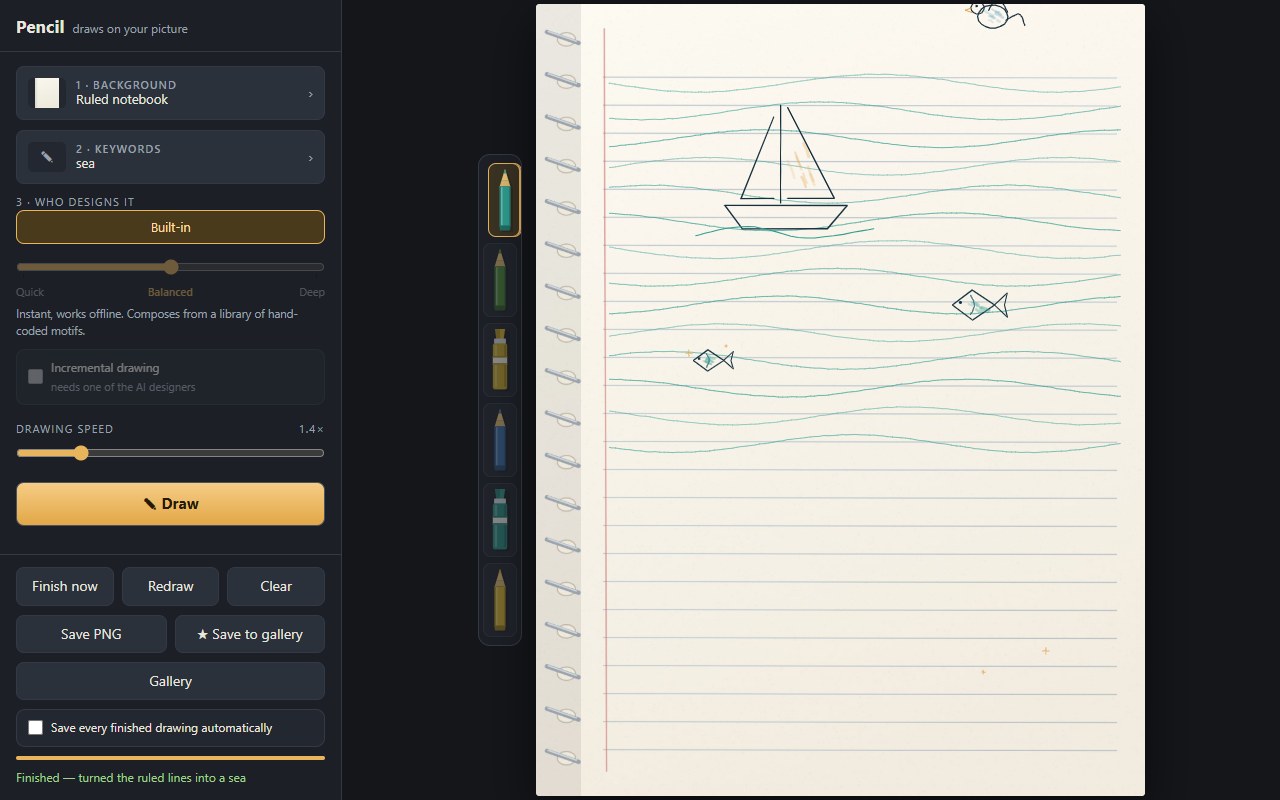
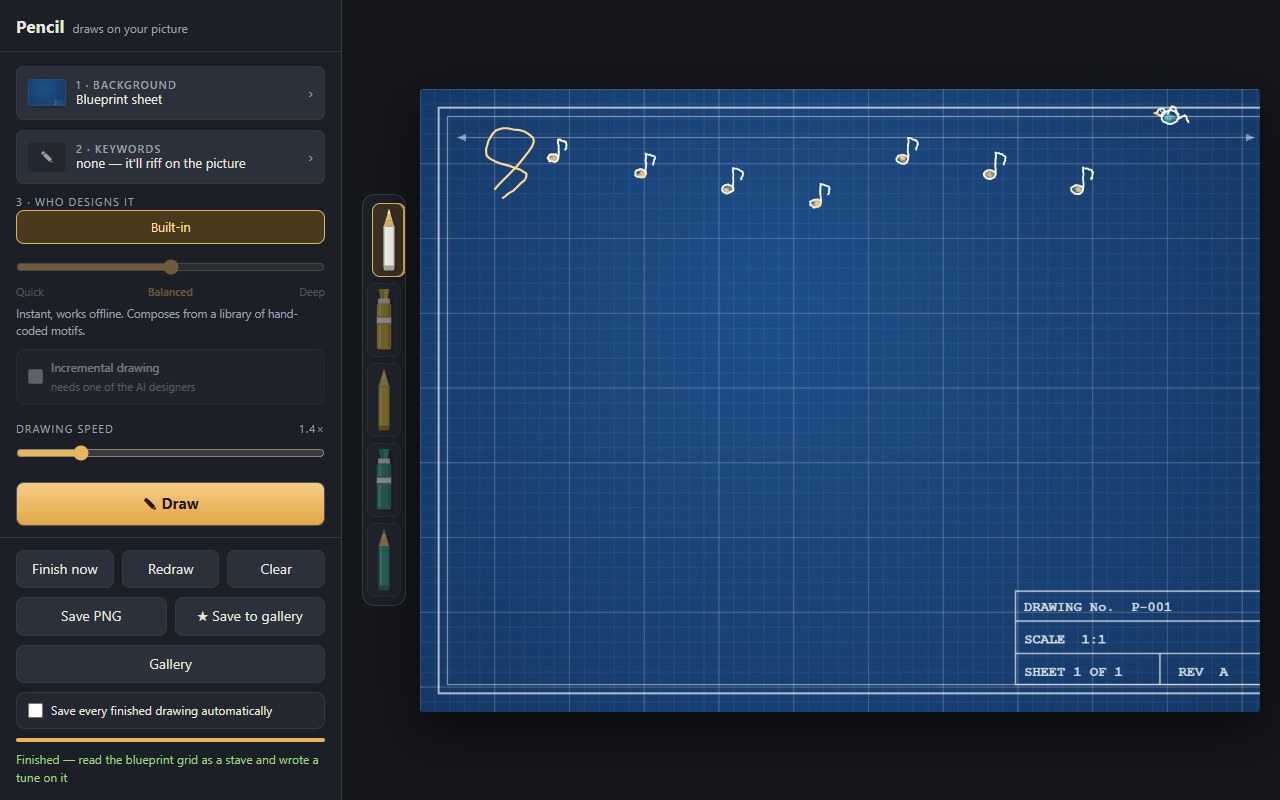
What makes it different is where it draws. It does not sketch politely in the empty middle and ignore the rest. It builds on what is already printed on the picture: the club pip on an ace grows a trunk and becomes a tree; the ruled lines on a notebook page become a sea with a boat riding one of them; the grid on a blueprint becomes a stave with a tune written across it.
A look inside
Features
- Eleven hand-made pictures, each with a large calm area for the drawing to go
- Every drawing builds on something actually printed on the picture — a pip, a coffee ring, a fold, a horizon, a stamp box
- Optional keywords steer what it does with the picture: on a ruled page, music gives a stave, sea gives a boat, rain gives an umbrella
- A plain-English line tells you what it decided — “turned the ruled lines into a sea”
- Upload your own picture and it finds the calmest large area to draw in by itself
- Redraw re-rolls the same settings into a different drawing, so no two are alike
- Drawing speed from a slow, watchable 0.3× up to 6×, or Finish now to render the rest instantly
- Save a full-resolution PNG, or keep drawings in a gallery on your own machine
Who draws it
Pencil ships with a built-in designer that is instant and works offline, composing from a library of hand-drawn motifs — trees, cats, lighthouses, boats, mandalas — and a set of ways to riff on whatever the picture already has on it.
You can also hand the job to a large language model: Claude, Grok, Gemini, or ChatGPT. The model is shown the picture itself along with the drawing vocabulary, and returns a list of strokes. It can use the built-in motifs and invent its own, so the results are far more varied. A Quick–Balanced–Deep slider decides how hard the model works: Quick returns a sketch in a few seconds, Deep thinks for a minute or two and draws something much more considered.
Tick Incremental drawing and the model stops planning the whole picture up front. It draws one element, is shown the result, and decides what the picture needs next — a companion, the setting, a foreground detail — until it decides another one would clutter things.
The model never runs code. Every stroke it sends back is checked and clamped before anything is drawn.
Private by default
There is no account and nothing to sign up for. Your gallery and any pictures you upload are stored in your own browser, on your own machine, and are never uploaded to us. If you use one of the AI designers, the chosen picture is sent to that model provider so it can see what it is drawing on — that is the only thing that leaves your browser, and only when you ask for it.
For the company-wide policy, see our Privacy Policy.
Getting started
- Open it in any modern browser — there is nothing to install and no sign-up
- Leave the keywords empty and the picture decides for itself; Surprise me clears them for you
- The AI designers are shared, so they run under a fair-use limit of a few dozen drawings an hour