FPS Trainer
Never played a shooter? Start here.
What is FPS Trainer?
Everyone else seems to have learned this as a kid. FPS Trainer is for the people who didn't. It starts at the very beginning — how to look around with the mouse — and teaches one skill at a time until you can move, aim, and handle a room full of enemies without panicking. It runs in your browser, and there is nothing to buy, download, or sign up for.
A look inside
The Training Path
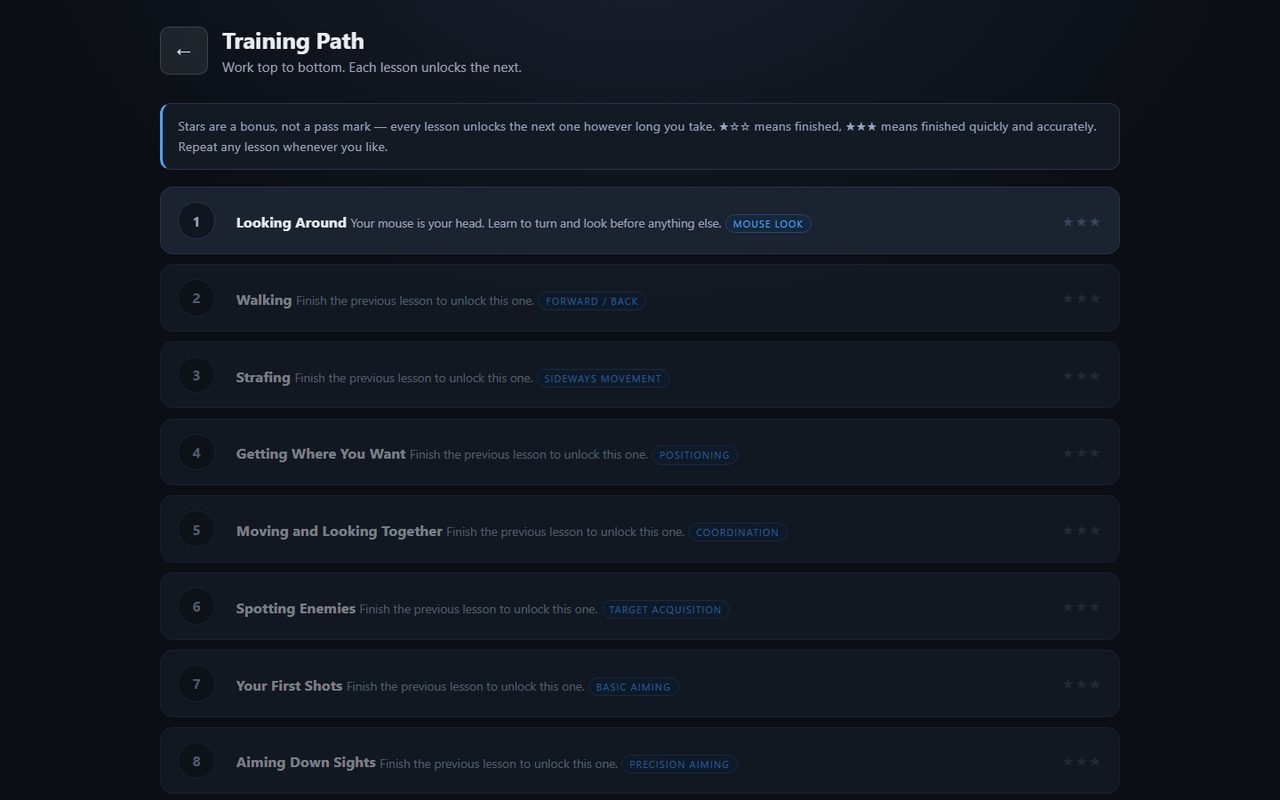
Fourteen short lessons, worked top to bottom. Each one teaches a single skill and then combines it with the last, so nothing arrives all at once:
- Looking Around, Walking, and Strafing — the movement beginners skip
- Getting Where You Want, and Moving and Looking Together
- Spotting Enemies — how to actually scan a room
- Your First Shots, Aiming Down Sights, and Recoil and Burst Fire
- Ammo and Reloading, Moving Targets, and Multiple Enemies
- Reaction and Flick Shots, and Friend or Foe — deciding whether to shoot at all
- Taking Fire and Using Cover — the first lesson where something shoots back
Stars are a bonus, not a pass mark. Every lesson unlocks the next one however long you take, and you can repeat any lesson whenever you like.
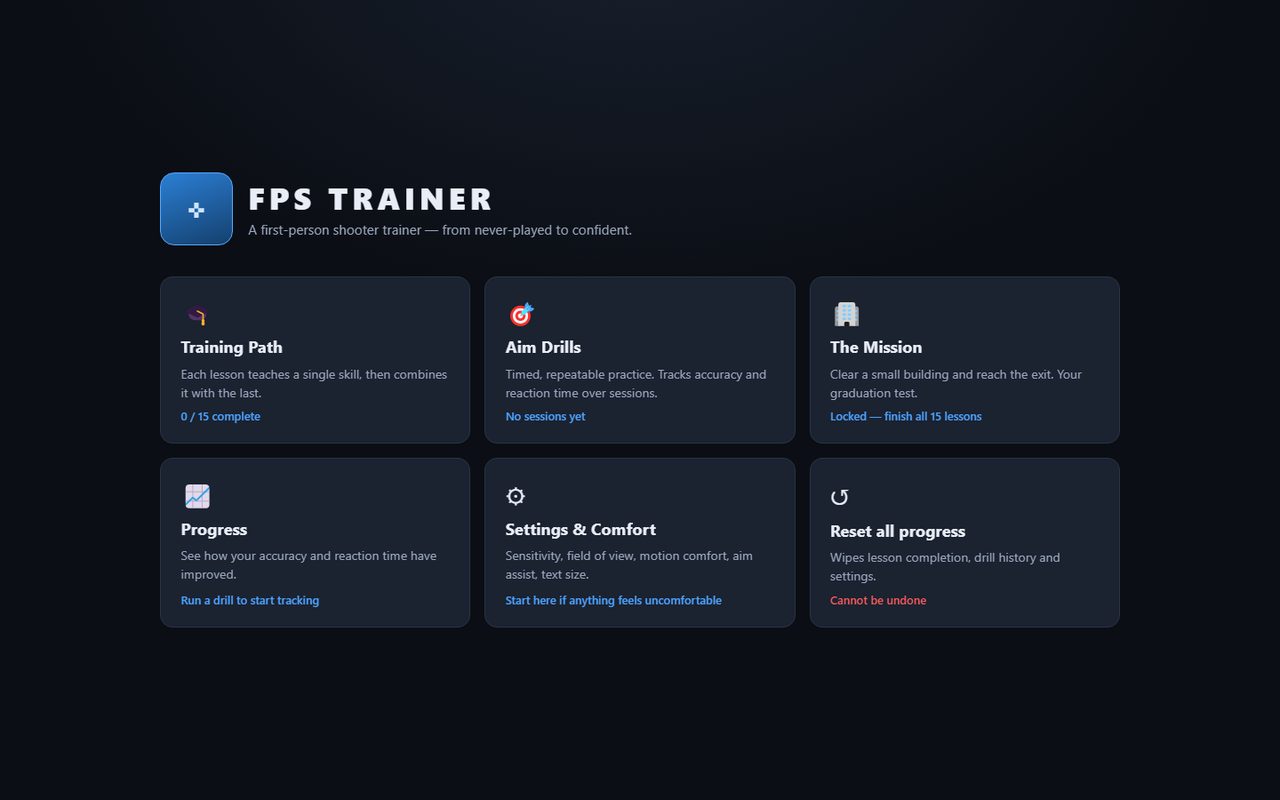
Aim Drills
Four sixty-second drills for repeatable practice: Precision, Tracking, Flick Shots, and Target Switching. Every session is scored and saved, so your accuracy and reaction time are plotted over time and you can watch yourself actually improve.
The Mission
Your graduation test. Clear a small building and reach the exit, using everything the lessons taught you — against enemies that shoot back.
Comfort Settings
Mouse sensitivity, field of view, motion comfort, aim assist, and text size are all adjustable, and changes apply instantly. If anything feels uncomfortable or makes you queasy, start there rather than pushing through.
Requirements
FPS Trainer is a 3D game that runs on a desktop or laptop with a keyboard and mouse. It uses pointer lock, so you'll click once to capture the mouse and press Esc to release it at any time. A recent version of Chrome, Edge, Firefox, or Safari is recommended.
Privacy
FPS Trainer runs entirely in your browser. There is no account and no sign-up, and your lesson progress, drill history, and settings are stored on your own device — not on our servers. You can wipe all of it from the main menu. For full details, see our Privacy Policy.